its gonna change throughout next releases
@adrientd are you going to give me any feedback?
i need to know what to do
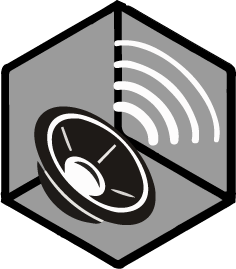
I guess I would take the one at the right. Reason: the background cube/hexagon is copied from the Grounds icon, and it made sense there: the ground is gray and the walls and blue, like it appears in the 3d view. That's how we took the colors. Hence it doesn't make much sense to reuse the cube with the same colors on all the other icons, because they are not all Grounds.
And that's why I ask for a version without the cube, because in my opinion it doesn't make sense for sounds. Yeah maybe it's no longer consistent, but I don't think that only because most of the icons happen to be inside cubes that the sound icon also must be inside a cube. The icons don't have to be THAT consistent. An extreme example would be like copying the same icon multiple times and saying they are consistent.
what do you mean you will take the one at the right
i am a bit confused by the structure
the grey one on the right
either way i didnt plan to do all icons in cubes
there are dozen of other icons out there that yet need to be done
i yet have 12 icons to design
there is a lot of room for thinking on how others would look like
@adrientd forgot to ask
How it looks with full toolbar when you include it
Since it is exhaustive for me to always have to integrate and give feedback, and my ideas often get ignored, and I'm not necessarily happy with some of the results, I decide that I will just make my own icons for v0.3, and then later we might look into how we could improve the icons as well as complete UI overhaul. Sorry for any inconveniences.
i will keep the files for now just in case if there is gonna be any use of them in future
For anyone interested, I started writing a guide on custom Grounds: https://github.com/AdrienTD/XXL-Editor/wiki/Custom-Level-Grounds
 GeneralXXLXXL 2XXL 3XXXLOlympic GamesXXL EditorToolsOff-TopicXXL RomasteredXXL 2 RemasteredOther GamesModsCaesar's ChallengeUnfair XXLPatchesFan ArtPersonal ArtSpeedrunningMediaRandomizerBETA RomeHSKALPresence AdrienPresence SPQRPresence Mr. Rubinshtein
 Helpdesk ☰